

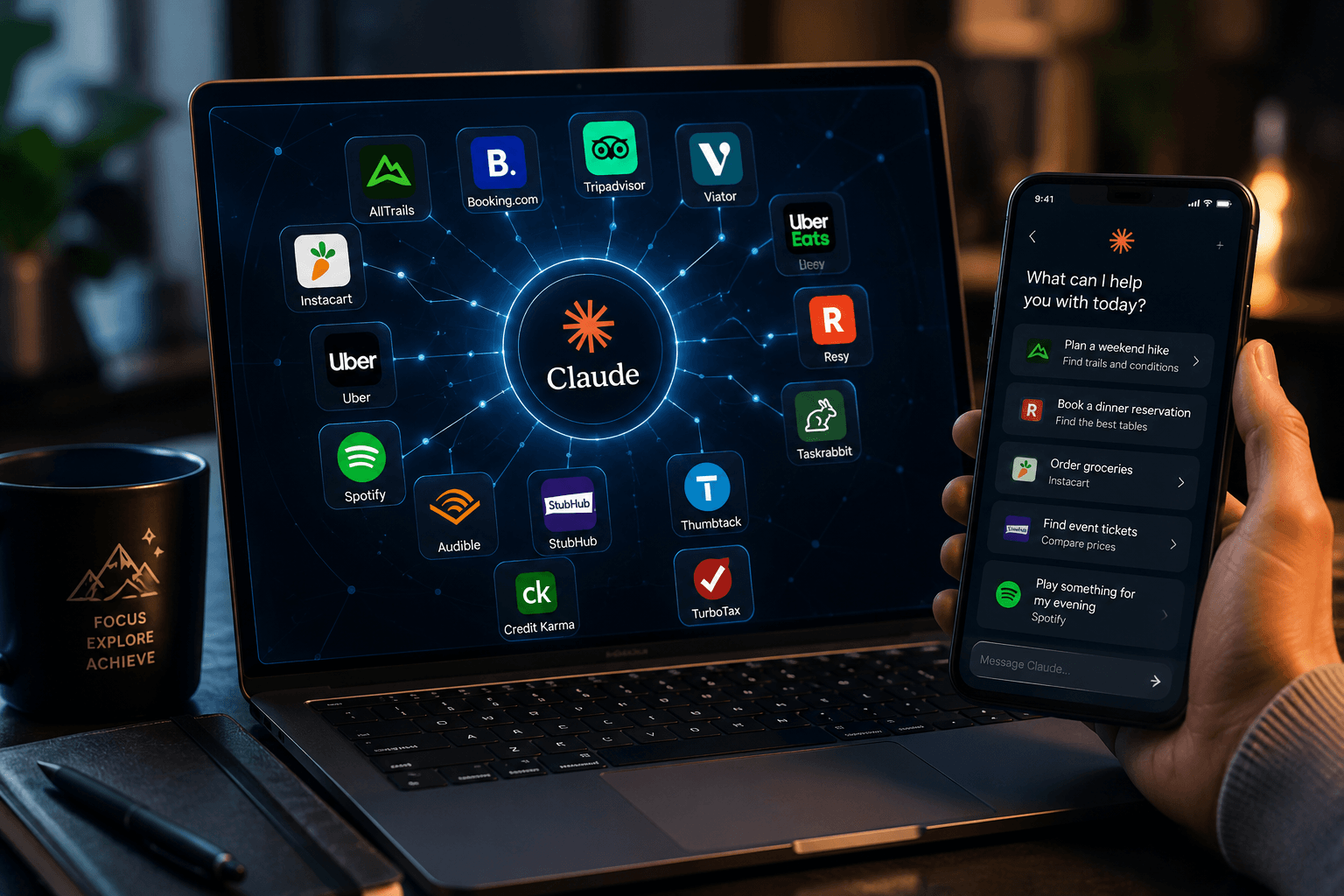
Claude has quietly become more than a chatbot you visit for work tasks. With the rollout of New connectors in Claude for everyday life, Anthropic has opened the door for people to bring their daily routines, errands, and personal plans directly into a single conversation. Instead of jumping between a dozen apps to book a table, track a workout trail, or manage a grocery list, Claude can now reach into the tools people already use and pull the right information into the chat itself.
This shift matters because most AI assistants have historically been limited to answering questions or drafting text. They could tell you facts about a hiking trail, but they couldn’t actually check trail conditions on AllTrails. They could suggest a podcast, but they couldn’t open Spotify and queue it up. New connectors in Claude for everyday life change that dynamic by linking Claude to real, live services that people rely on outside their jobs.
What Are Connectors and How Do They Work
Connectors are built on the Model Context Protocol, an open standard that Anthropic introduced to let Claude communicate securely with outside applications. Think of a connector as a bridge between Claude and a specific app. Once you link an app, Claude can look inside it, retrieve relevant details, and in some cases take an action on your behalf, always with your approval first.
Before this expansion, most connectors were aimed at professional use cases, such as project management boards, spreadsheets, or design software. If you’re interested in how Claude is also evolving for security, digital investigations, and advanced AI workflows, check out our guide on Cyber Investigator on Claud. New connectors in Claude for everyday life extend that same bridge to the apps people use for personal errands and downtime. This includes travel booking platforms, food delivery services, ride-hailing apps, ticketing sites, and even tax preparation tools.
The technical process is simple from a user’s point of view. You connect an app once, and from that point forward, Claude can bring it into any conversation where it seems useful. You don’t have to remember which app to open or copy information back and forth between windows.
Which Everyday Apps Are Now Available
The current lineup covers a wide range of daily needs. Travel and local discovery are supported through AllTrails, Booking.com, Tripadvisor, and Viator, which help with finding hiking routes, planning trips, and booking activities in a new city. For food and errands, Instacart and Uber Eats bring grocery shopping and meal delivery into the conversation, while Resy helps with restaurant reservations.
Getting around town is easier too, since Uber is part of the lineup for ride requests. For entertainment and downtime, Spotify and Audible let Claude pull in music or audiobook recommendations based on what you’re doing or how you’re feeling. StubHub rounds out the entertainment side by helping people find and compare event tickets.
Home and personal services are also part of the update, with Taskrabbit and Thumbtack connecting Claude to local service providers for tasks like furniture assembly or home repairs. On the financial side, Intuit Credit Karma and Intuit TurboTax bring personal finance and tax preparation into the same space where you might already be asking Claude questions about budgeting or savings goals. This combination is a clear sign that New connectors in Claude for everyday life were designed around real routines rather than a narrow set of use cases.
How Claude Decides Which Connector to Use
One of the more interesting parts of this update is that you don’t need to name the app you want Claude to use. Claude pays attention to context clues in your conversation and suggests the connector that fits. If you mention wanting a scenic weekend hike, Claude may surface AllTrails results without being asked directly. If you’re talking about a trip to a new city, Tripadvisor or Booking.com might appear as options.
This kind of contextual awareness is central to how New connectors in Claude for everyday life function day to day. Rather than treating each app as a separate tool you have to activate manually, Claude treats them as extensions of the conversation itself. You can also refine results naturally, asking for something shorter, cheaper, or closer to home, and Claude adjusts using the connected app rather than starting over with a generic answer.
When more than one connected app could reasonably help with a request, Claude doesn’t pick one arbitrarily. It shows multiple options and lets you decide which one to use, which keeps the experience transparent rather than making silent choices on your behalf.
Privacy, Control, and Transparency
A common concern with any tool that links to personal accounts is how much access it actually has and what happens to that data. Anthropic has been fairly direct about this with New connectors in Claude for everyday life. Connecting an app gives Claude permission to access it during your conversations, but information from that app is not used to train Anthropic’s models, and the app itself doesn’t see the rest of your chat history with Claude.
Claude is also designed to check with you before completing anything that involves spending money or making a booking. It can suggest a restaurant reservation or a grocery order, but the final confirmation step stays with the user. This matters for anyone who is cautious about automation making irreversible decisions without a clear checkpoint.
You can disconnect any app at any time, which removes its access immediately. This flexibility gives people room to experiment with a new connector without feeling locked into a permanent arrangement. It’s a practical approach for anyone testing out New connectors in Claude for everyday life for the first time and wanting to see how it fits into their routine before committing further.
Why This Update Matters for Regular Users
Plenty of AI features are built for developers, analysts, or teams managing large workflows. This particular update is different because it’s aimed squarely at ordinary daily life. Planning a trip, ordering groceries, finding a plumber, or picking a podcast for a commute are not specialized tasks. They’re things almost everyone deals with regularly, and New connectors in Claude for everyday life reduce the friction involved in each of them.
There’s also a practical time-saving element here. Searching for a hiking trail, checking reviews, comparing prices, and then booking a reservation used to mean switching between three or four different apps. With connectors, that entire sequence can happen inside one conversation, with Claude handling the back-and-forth research while you focus on making the final decision.
Another advantage is personalization. Because Claude can hold context across a conversation, it can factor in things you’ve already mentioned, like a preference for dog-friendly trails or a dietary restriction, when it pulls results from a connected app. This makes recommendations feel more tailored than a plain search engine query would. This evolution reflects the broader trend of artificial intelligence moving beyond simple chat interfaces toward becoming a practical assistant for everyday tasks, helping people complete real-world activities more efficiently.
Getting Started With Connectors
Setting up a connector is straightforward. On desktop or mobile, Claude will often suggest a relevant connector as you’re chatting about something related to it. You can also browse the full directory and connect an app manually if you already know which ones you want active. Once connected, the app becomes available across future conversations without needing to reconnect each time.
Availability for New connectors in Claude for everyday life spans all Claude plans, with mobile access currently rolling out as part of a broader beta. This means the feature isn’t locked behind a premium tier, which makes it accessible to a wider range of users who are simply curious about trying it out.
For anyone new to the concept, a good starting point is connecting one or two apps tied to something you do often, like a food delivery service or a music app, and observing how naturally Claude brings them into relevant conversations. From there, expanding to travel, finance, or home services becomes an easier decision once you’ve seen how the system behaves with something familiar.
The Bigger Picture
Looking at the direction Anthropic has taken, this update signals a broader shift in how AI assistants are expected to function. Beyond everyday productivity, Claude is also becoming valuable for cybersecurity research and AI-assisted investigations, as explained in our detailed guide on Cyber Investigator on Claud. Rather than existing purely as a text-based answer engine, Claude is increasingly positioned as a coordination layer that sits above the apps people already use. New connectors in Claude for everyday life are a strong example of that shift, since they turn everyday planning and errands into a single, connected experience instead of a scattered one.
As more apps join the directory over time, the range of daily tasks Claude can assist with will likely keep growing. What started as a work-focused feature has clearly expanded into something built for ordinary routines, and that expansion appears to be an intentional, ongoing strategy rather than a one-time experiment.
Frequently Asked Questions
What exactly changed with New connectors in Claude for everyday life?
Claude now connects to everyday apps like AllTrails, Instacart, Spotify, Audible, Booking.com, Uber, and several others, in addition to the work-focused tools it already supported. This lets Claude pull real information from these apps directly into a conversation.
Do I have to name the app every time I want Claude to use it?
No. Claude looks at the context of what you’re discussing and suggests a relevant connected app on its own. You can still ask for a specific app directly if you prefer.
Is my personal data from these apps used to train Claude?
No. Data from a connected app is not used for model training, and the app itself does not have access to your other conversations with Claude.
Can Claude book things or spend money without asking me first?
No. Claude is designed to confirm with you before completing a purchase, reservation, or booking. You stay in control of the final decision.
Are these connectors available on every Claude plan?
Yes. Connectors are available across all plans, though mobile access is still part of an ongoing beta rollout.
Can I remove a connected app later if I change my mind?
Yes. You can disconnect any app at any time, which immediately removes its access to your conversations.
